
Sharing starts only with your permission. The Welcome wizard asks whether you want to share. You can also turn it off later in Sloth Center → Windows programs.
Your choice
Sharing is opt-in. If you say no, Sloth OS does not send Windows app results. You can still download and use the shared settings produced from other machines. Turning sharing off deletes the local queue of reports waiting to be sent.
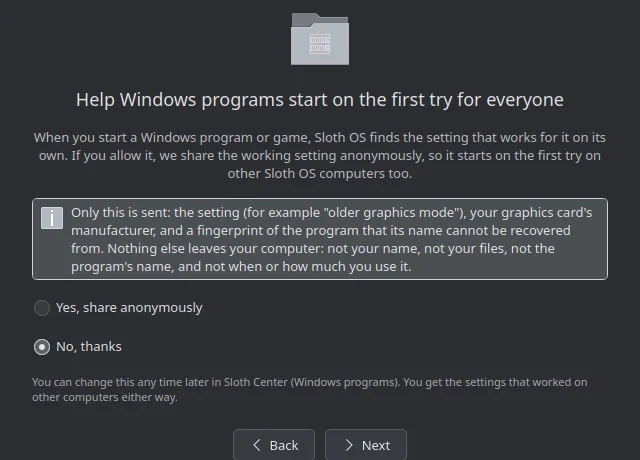
What a report contains
When sharing is on, reports are queued locally and sent in the background. According to the repository's knowledge-service documentation, a report contains:
- A random machine identifier, stored by the service as a salted hash.
- A SHA-256 hash of the program's normalized product name and executable filename, computed on your machine. The service does not receive the program name.
- Your GPU manufacturer category: AMD, NVIDIA, Intel or other.
- The compatibility setting used and whether it worked.
The project says reports do not include a user name, files, the raw program name, or usage times. IP addresses are used only for rate limiting as a salted hash with a daily-changing salt; rows older than one day are deleted.
How reports are protected
The service accepts only allowlisted settings. It rejects arbitrary commands, environment variables, values and arguments. A setting is published only after it has worked on at least three different machines and at least 75% of reports for that setting are successful. Each machine gets one vote per program, GPU and setting.
These safeguards are described in the public knowledge repository. They describe the current design and may change as the service develops.
Downloading shared knowledge
Sloth OS downloads a static knowledge file from a public GitHub repository. The file is the same for every machine, so downloading it does not tell the service anything about your computer.
Change your choice
Open Sloth Center → Windows programs to change sharing at any time. Shared settings remain available whether you choose yes or no. The feature is still under active development; review this page again when the project publishes a release.