
Experimental feature. Compatibility varies by app, hardware and updates. Sloth OS cannot promise that every Windows program or game will work. The feature still needs broader testing.
How it works
Double-clicking a Windows .exe or .msi is intended to install or launch it without requiring Steam or manual setup. The Sloth OS handler uses Proton through umu-launcher, with the system Wine packages as an offline fallback.
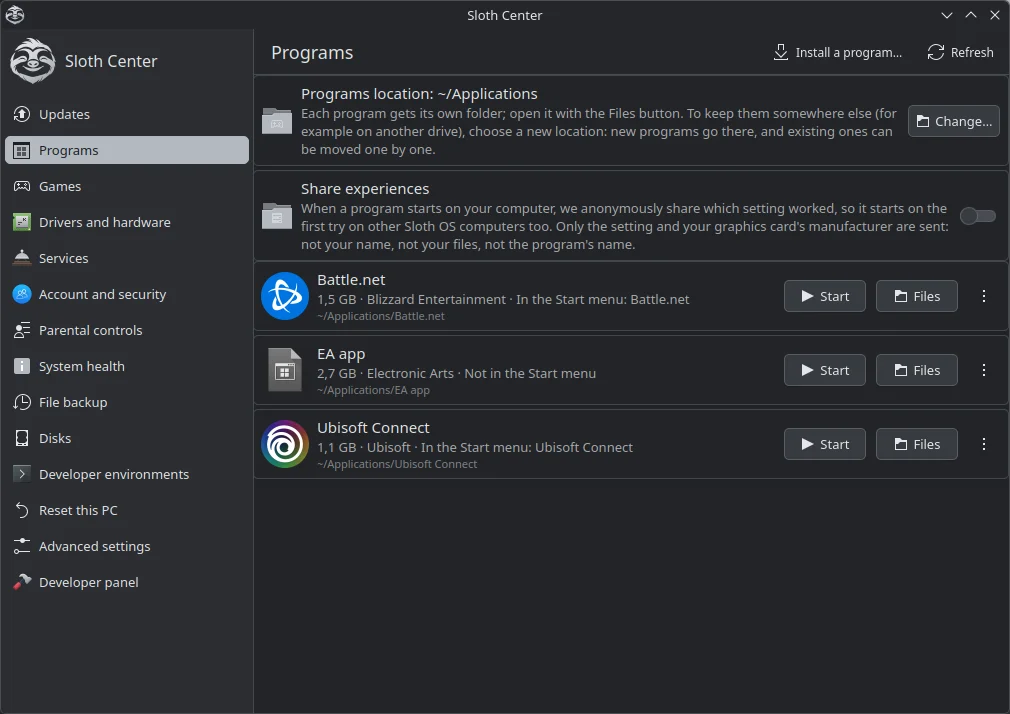
Each program gets its own environment. Installed apps can appear in the Start menu and can be managed from Sloth Center. The goal is to keep technical terms such as Wine, Proton and “prefix” out of the normal user flow.
What Sloth OS tries
- Recognize the app. It reads product information from the executable and checks the umu database. For games, it can also use a Steam App ID when a matching title is found.
- Apply known fixes. Known launchers can use app-specific recipes. Community fixes and Proton's own game fixes may be applied when the app is recognized.
- Diagnose a failed launch. Background logs help identify common problems, such as a missing runtime component or a Vulkan failure.
- Try another setup. If needed, it can move through alternate settings or Proton versions and remember the one that worked for that app. Before a Proton-version switch, it can snapshot the app folder using a Btrfs reflink copy.
- Recover from a regression. If a Proton update breaks an app that previously worked, the runner is designed to keep that app on its last working version.
Compatibility limits
Some Windows apps depend on drivers, anti-cheat systems, DRM, kernel features, launchers or services that are not available through this compatibility layer. A game may work today and stop after an update. A setting that helps one app can break another, which is why Sloth OS isolates settings per program.
For important work, keep a supported native Linux or web alternative where possible. Prefer native Flatpak versions for applications that offer them. Keep backups of your files and game saves.
Shared settings and privacy
If you opt in, Sloth OS can anonymously report which allowlisted setting worked for a program. The report uses a local hash of the program name rather than sending the name itself. Sharing is off unless you enable it, can be changed later in Sloth Center, and is not required to download shared settings.
See the complete privacy guide for the fields, protections and controls.